


StaySafe App

Find A Solution
How Do I Create An Account?
- • A password setup email is sent to you at the same time as your medical alert device is shipped.
- • Follow the instructions in the email to setup your password.
- • Once you are done with password setup, open your StaySafe App and log in using your email and newly created password.
I Cannot Log In / Wrong Email Or Password
- • Check the email you are entering. It should be the email you provided when you have ordered the device.
- • Make sure that you entered your email correctly, including special symbols such as dots and dashes if you have them in your email.
- • After reviewing your email, please make sure that your are entering correct password. The password is setup when you order the device and receive an email with instructions on how to setup your account.
Password Reset Is Not Working
- • Make sure that your new password has at least 10 characters.
How Do I Track My Loved One / Find My Device?
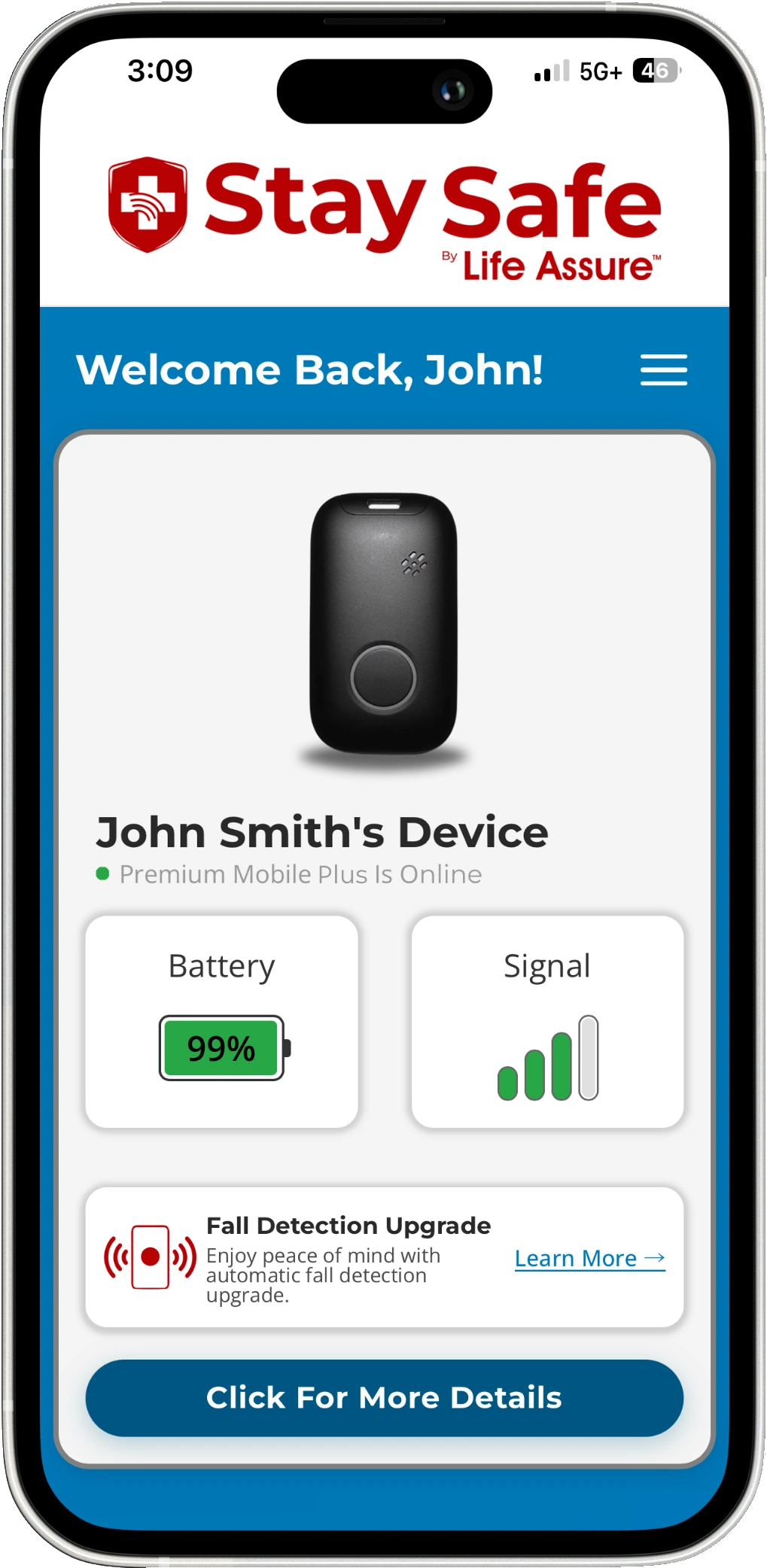
- • Open your StaySafe app.
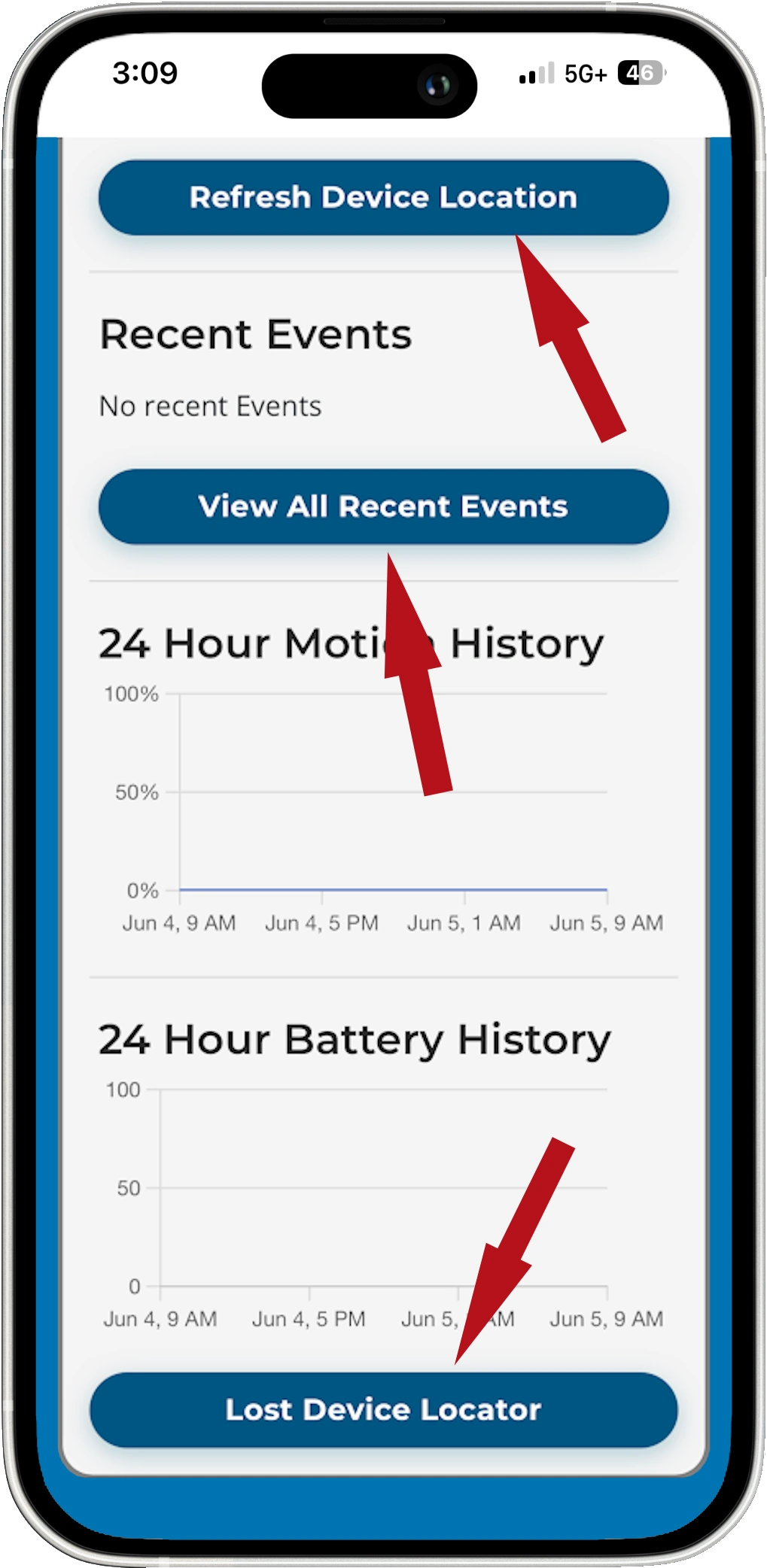
- • You will see the device associated with your account. Tap "Click for More Details". Scroll to the bottom of the page and tap "Lost Device Locator". Your device will play a sound and say "I'm here", making it easy to find.
- • To see your device on the map tap "Refresh Device Location".
- • To check recent history tap "View All Recent Events".
What If Device Location Is Not Updating?
- • Test your medical alert device and the location will update automatically.
- • The location will not update if the device has not moved from its previous location.